Take an offer
Browse BasicSwap's order book, send a bid on an offer that suits you and follow the swap until both chains confirm and the coins arrive in your wallet.
Taking an offer means sending a bid on someone else's offer from the order book. Once the offerer accepts it, by hand or automatically, BasicSwap runs the atomic swap for both of you and the coins arrive in your wallet. You need the coin you'll pay with enabled, synced and funded, and the coin you'll receive enabled too. To fill a larger amount from several offers at once, use Smart Buy instead.
Find an offer

Open the Order Book from the menu. Under the price chart and the price of each coin, the table lists every open offer with what the offerer sends and wants, the most you can take, the rate, and how the rate compares with the market. Hover over an offer's rate or offerer for details, such as how many swaps that offerer has completed.
The filters above the table narrow it down. Filter Bids and Filter Offers choose the coins, Auto Accept Type limits the list to offers that accept bids automatically, and Clear Filters puts everything back. The chart and market prices come from outside price sources and serve only as a guide, while the trades themselves happen at the rates in the offers.
Send a bid
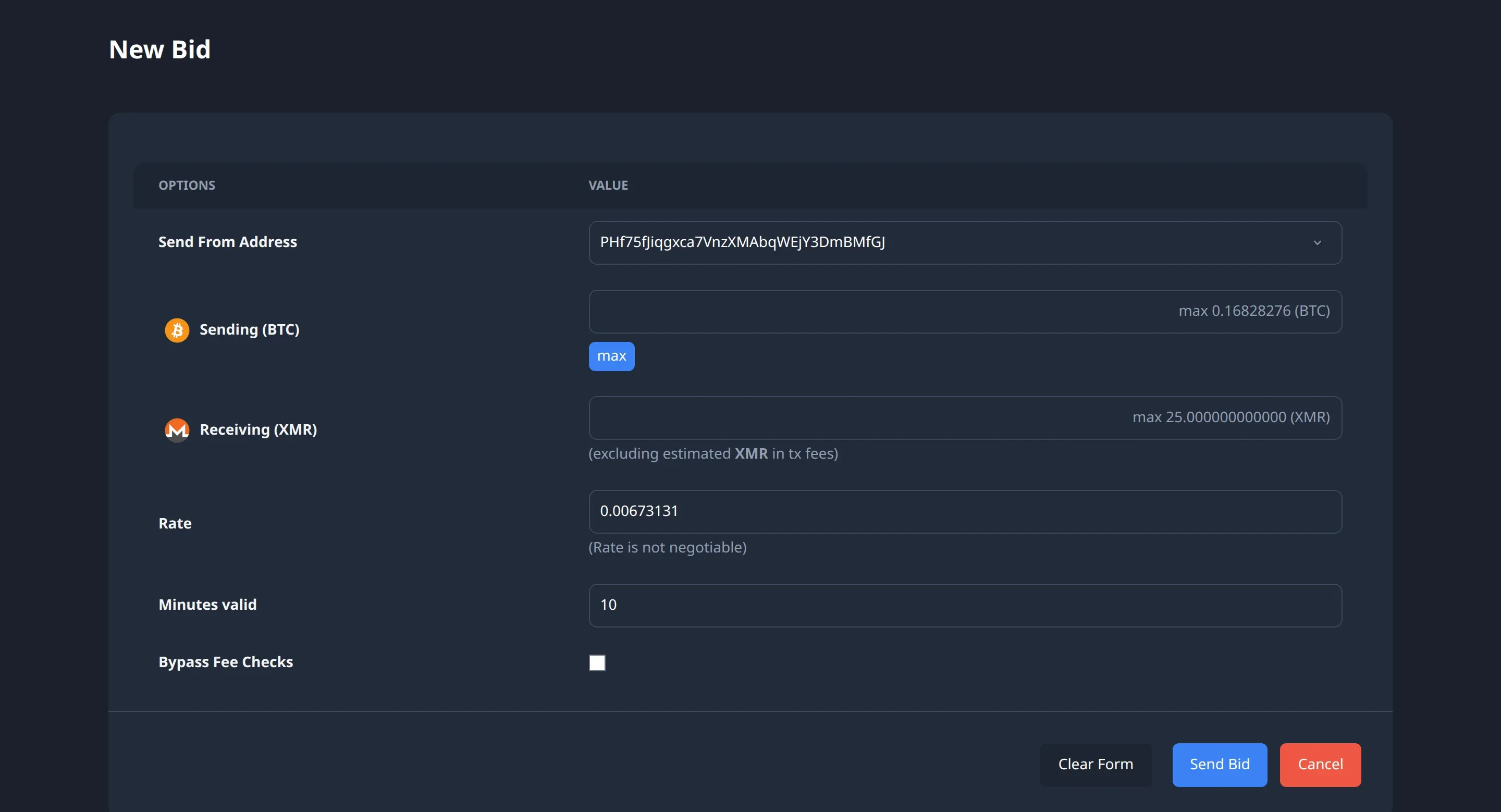
- Click Swap on the offer to open its page, which shows the offer's details followed by the New Bid form.
- Enter how much you'll send under Sending or how much you want under Receiving, and the other follows the rate, while max fills in the most the offer allows. If the offer accepts a different rate, you can change Rate too, and if not, the form says "Rate is not negotiable".
- Minutes valid is how long your bid stays open for the offerer to accept, 10 minutes by default.
- Click Send Bid, check the amounts in the Confirm Bid dialog, and click Confirm.
The bid goes to the offerer over BasicSwap's message networks. If their offer accepts bids automatically, the swap starts within moments, and otherwise it waits until they accept it or the bid expires.
Follow the swap
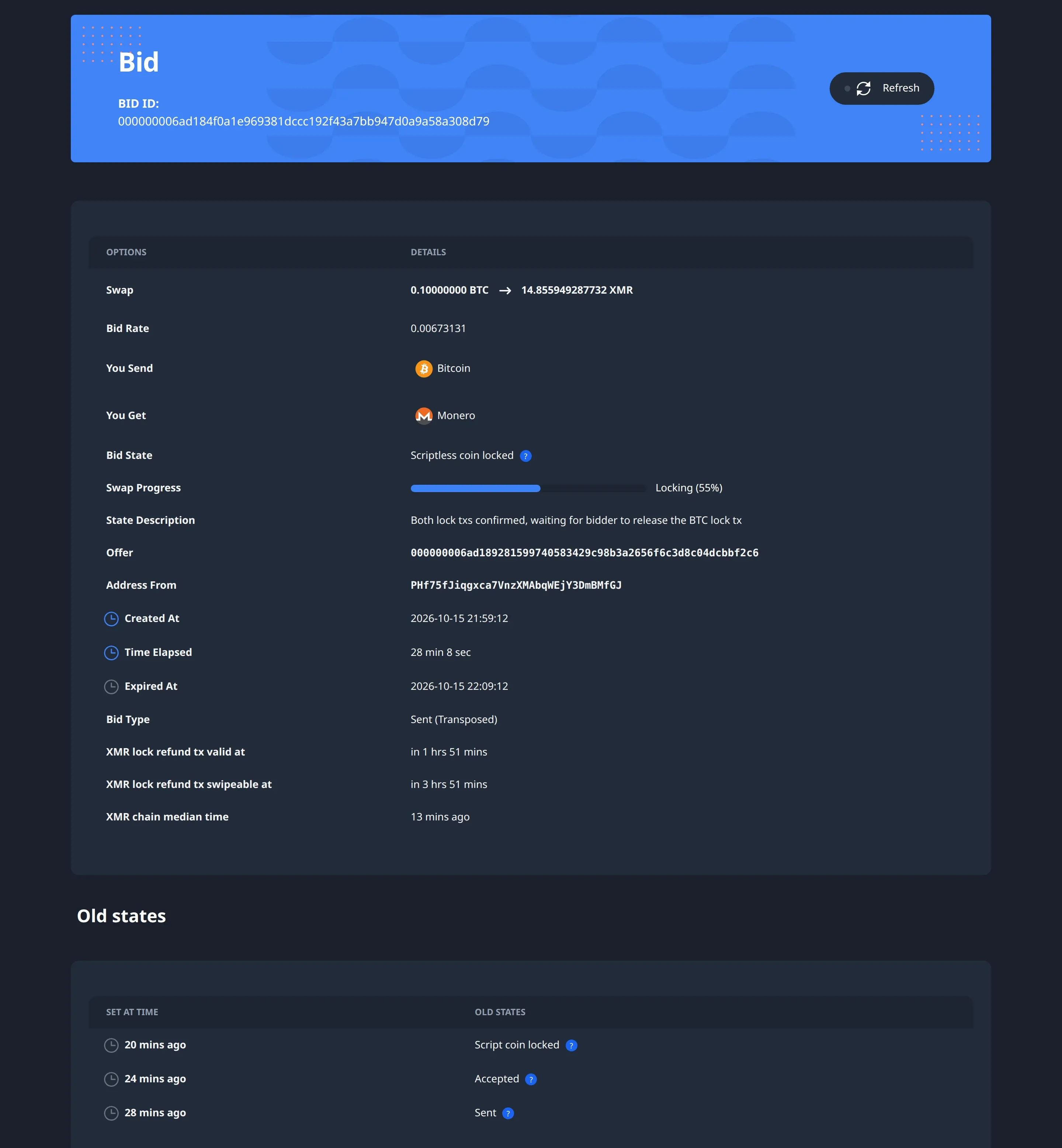
Open Bids to see the bids you've sent and received, and click one to open its page. Bid State names the current step and Swap Progress shows how far along it is. Further down, the page lists the earlier states with their times, and Show More Info adds the transactions and events.
Once the offerer accepts your bid, the swap needs nothing more from you. Each side locks its coins, BasicSwap waits for the confirmations each chain needs, and then each side claims the other's coins. When the state reaches Completed, the coins are in your wallet. How long that takes depends on how many confirmations each chain needs and how fast its blocks come.
Keep BasicSwap running until the swap completes. If it can't complete, for example when the other trader goes offline, BasicSwap refunds your locked coins once the offer's contract lock time has passed, which also needs BasicSwap to be running. A bid that nobody accepts expires when its minutes run out, and nothing is locked.