Manage enabled coins
Check each coin's sync progress on the Wallets page, deposit and withdraw funds, and finish setting up PIVX, Dash and Firo wallets with a one-time reseed.
Every coin you enable has a wallet in BasicSwap, and the Wallets page is where you watch them sync, fund them and move coins out. BasicSwap's wallets are ordinary wallets of each coin, created from your one recovery phrase and held on your computer, and your swaps pay from and into these same wallets. Enable or disable coins explains how to add and remove them.
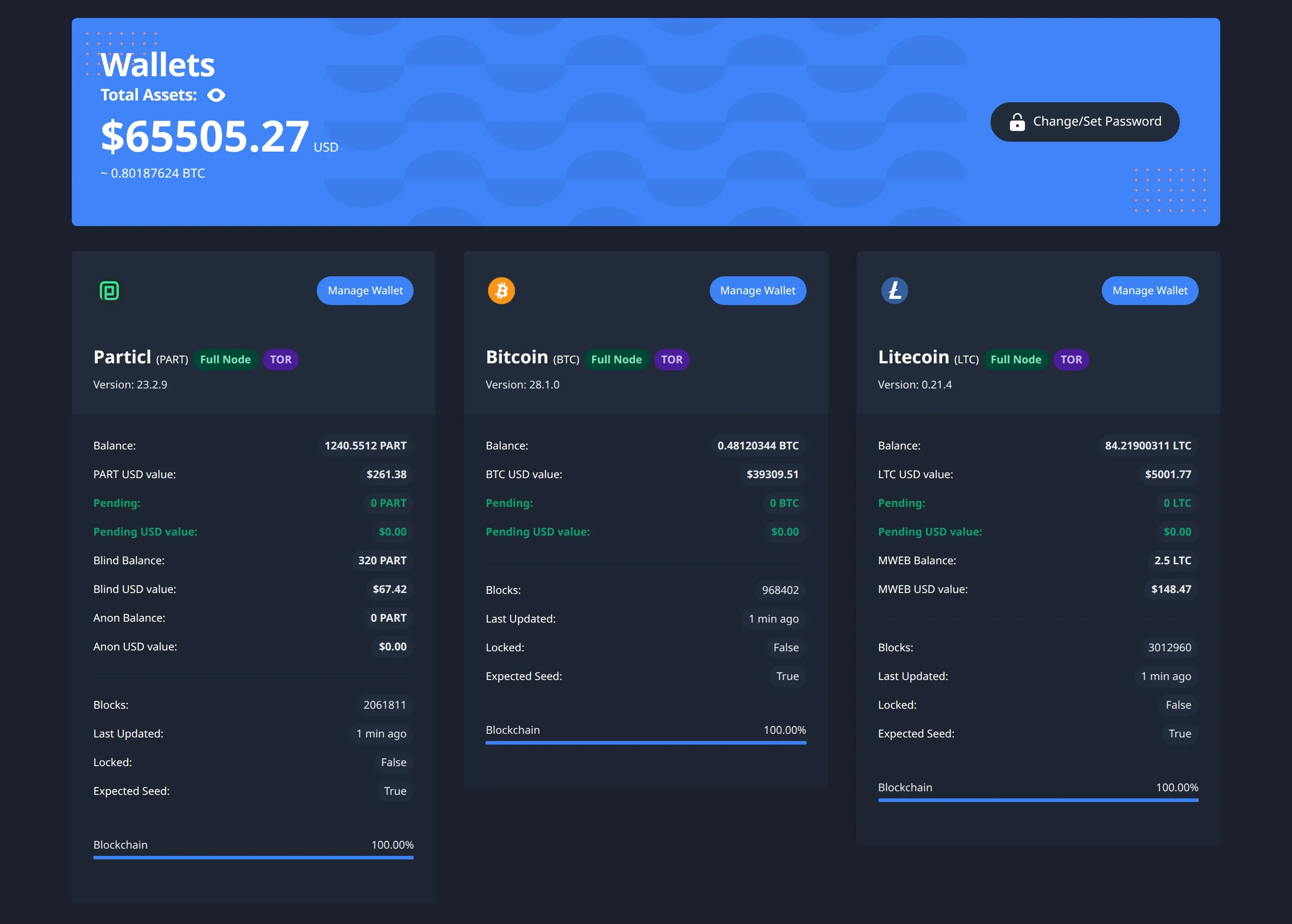
Check sync progress
Most coins run a full node, which downloads and checks the coin's whole blockchain before you can use the wallet. The Wallets page lets you follow it, with a card for each coin that shows its version, the latest block, when it last updated, and a Blockchain progress bar that reaches 100% when the node has caught up. The first sync can take hours for larger chains, and longer on a slow disk or connection.
Coins in lightweight modes skip this step entirely, so Bitcoin and Litecoin in Electrum mode show the server they're connected to instead, and Monero or Wownero on a remote node rely on that node's sync.
Manage wallets
Click Manage Wallet on a coin's card to open its wallet, which has a section for each of these:
- Deposit. Copy the deposit address, or create a new one with New Deposit Address. Some coins also have their own address types, such as Monero subaddresses, Litecoin MWEB addresses, Firo Spark addresses and Particl stealth addresses.
- Withdraw. Send coins to another wallet by entering the address and amount, or use Sweep All to send everything, and tick Subtract Fee to take the network fee out of the amount sent.
- Convert. On Particl, this moves funds between its plain, blind and anon balances.
- History. The Transaction History lists past transactions, and UTXO Groups shows the outputs your balance is made of.
Wallet password
Change/Set Password on the Wallets page encrypts every wallet with a password, or changes it. BasicSwap then asks for the password to unlock the wallets, and you need them unlocked to trade. You'll also need it as WALLET_ENCRYPTION_PWD when you add a coin.
Particl staking
Particl is a proof-of-stake coin, so the PART in your BasicSwap wallet can earn staking rewards while BasicSwap runs. With basicswap-bash, run bsx-staking with BasicSwap stopped to turn it on or off. On other installs, set staking=1 or staking=0 in particl/particl.conf in your data folder, then restart BasicSwap.